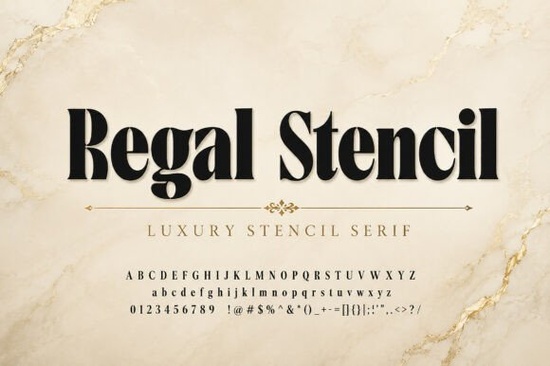
Finding the right typeface for a high-end project usually means choosing between classic elegance and modern edge. If you need both, the Regal Stencil Font offers a practical solution. It blends traditional serif structures with subtle stencil cuts, giving your designs a refined, exclusive look without sacrificing readability. Whether you are a small business owner designing product packaging or a crafter making custom wedding invitations, this typeface provides a sophisticated foundation for your visual identity.
What makes a stencil serif work for luxury branding?
Stencil fonts are often associated with industrial or military aesthetics, but adding serif details completely changes the mood. The classic serifs introduce vintage charm, while the distinct cuts add a layer of modern luxury. This combination creates a refined balance that feels both established and contemporary. For premium brands, this subtle detailing signals exclusivity. The unique cuts give the letters character, making logos and headlines memorable while maintaining the clean, professional appearance required for high-end marketing materials.
How do you pair stencil typefaces with other fonts?
When building a brand identity, you rarely use just one typeface. A bold stencil works best as a display font for headlines, logos, or short quotes, so you will need a reliable secondary font for body text and smaller details. If your project leans toward apparel, you might explore fashion-focused serif alternatives to complement the bold headers. For cosmetic labels or skincare packaging, pairing your stencil with cleaner serif options keeps the text legible at small sizes. If you are laying out a magazine or lookbook, modern editorial serifs provide a nice contrast to the decorative stencil cuts. You can also browse broader stencil serif collections if you want to compare different cut styles before finalizing your brand kit.
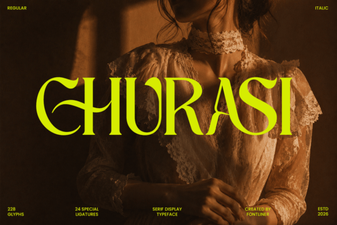
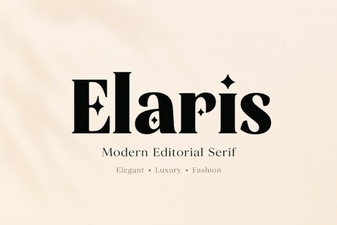
If you are building a complete typography system and need more variety, you might also look at the Bagku Fashion Font for a more traditional high-contrast look. For minimalist body copy, the Churasi Font offers excellent readability, while the Elaris Font works beautifully for elegant subheadings.
Which projects get the best results from stencil cuts?
The distinct visual weight of this typeface makes it highly versatile for specific creative niches. Designers and print-on-demand sellers often see the best results when applying it to:
- Premium branding and logo design: The stencil gaps make logos stand out on storefronts and business cards.
- Fashion editorials and magazine headlines: Large display sizes highlight the intricate serif details and sharp cuts.
- Cosmetic brands and jewelry collections: The elegant structure pairs perfectly with minimalist photography and clean layouts.
- Luxury product labels and packaging: It adds a tactile, high-quality feel to boxes, bags, and tags.
- High-end wedding invitations: Crafters and hobbyists can use it for monograms and main event titles.
How do you handle stencil gaps in print and digital?
Working with stencil typefaces requires paying attention to the physical gaps in the letters. In print, if the font size is too small, these gaps might close up during the printing process or look like ink errors. A good rule of thumb is to keep stencil fonts above 14 points for printed materials. For digital designs, ensure the background contrasts well with the text so the cuts remain visible on smaller mobile screens. When using the Regal Stencil typeface in web headers, always test the rendering on multiple devices to ensure the stencil bridges do not blur.
Quick checklist for your next stencil font project
Before finalizing your design, run through this quick checklist to ensure your typography looks professional:
- Check the size: Ensure your stencil font is large enough for the gaps to remain visible in the final medium.
- Limit the usage: Restrict the stencil typeface to headlines, logos, and short phrases. Use a simpler font for paragraphs.
- Adjust the tracking: Stencil fonts often look better with slightly increased letter spacing to prevent the cuts from feeling crowded.
- Test the contrast: Verify that the stencil cuts do not disappear against busy background images or patterns.
- Proof the print: If you are creating physical products, always order a single test print to check how the ink handles the fine stencil bridges.
 Churasi Font for Creative Typography Projects
 The Elaris Font: a Creative Web Design Resource
 Magical School Font Design Ideas for Creators
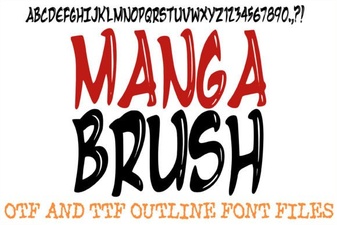 Drawing Fonts for Creative Digital Comics
 Sweet Summer Cupcake Font Designs & Projects
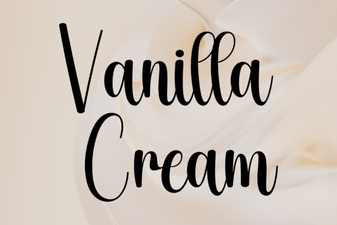 Vanilla Cream Fonts for Modern Web Design